NexT主题的设置 - hexo新版主题next7.x设置

内容提要
-
开启赞赏打赏码
-
设置阅读时长和本文字数
-
添加背景动画效果
-
阅读全文设置
-
阅读全文 去掉自动定位 more
-
修改文章及主题样式
-
代码段调整上下行距及样式
-
代码块背景色缺失问题
开启赞赏打赏码
1.获取支付宝和微信打赏码
- 支付宝打赏码
- 微信打赏码
- 打开手机微信
- 选择我的–支付
- 选择收付款–赞赏码
- 生成
2.把生成的二维码下载放到 next 主题
- 放到 themes\next\source\images 文件夹中
3.配置主题_config.yml
reward_settings:
  # If true, reward will be displayed in every article by default.
  enable: true
  animation: false #是否开启动画效果 可以自己调整样式
  comment: 原创技术分享,您的支持将鼓励我继续创作!

reward:
  wechatpay: /images/wechatpay.png
  alipay: /images/alipay.png
  #paypal: /images/paypal.png
  #bitcoin: /images/bitcoin.png
4.修改按钮样式
//路径 next/source/css/_common/components/post/post-reward.styl
//简单的改了一下按钮样式
button {
  background: transparent;
  border: 1px solid #fc6423;
  border-radius: 5px;
  color: #fc6423;
  cursor: pointer;
  line-height: 2;
  outline: none;
  padding: 0 15px;
  vertical-align: text-top;

  &:hover {
    background: #fc6423;
    border: 1px solid transparent;
    color: #fff;
  }
}
5.展示效果

设置阅读时长和本文字数
1.配置主题_config.yml
symbols_count_time:
  separated_meta: true
  item_text_post: true
  item_text_total: false
  awl: 2 #平均字长
  wpm: 200 #每分钟字数
详细配置介绍 https://github.com/theme-next/hexo-symbols-count-time
2.对应文字修改
#路径 next\languages\zh-CN.yml
symbols_count_time:
  count: 本文字数
  count_total: 站点总字数
  time: 阅读时长
  time_total: 站点阅读时长
  time_minutes: 分钟
3.展示效果

设置阅读次数和评论
建议添加 gitalk 评论系统
参考文章:https://www.jianshu.com/p/02fc71f3633f
展示效果
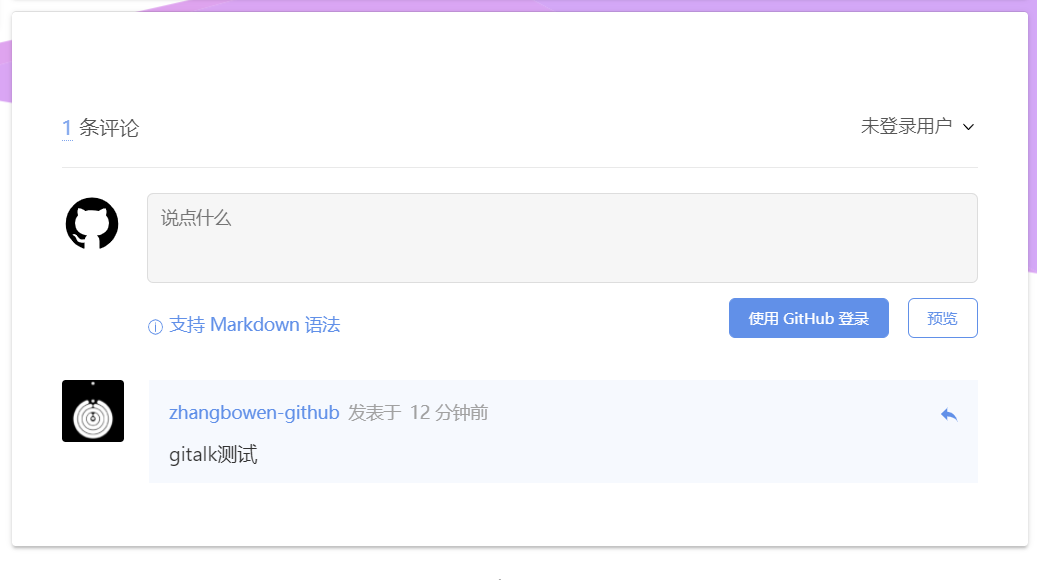
显示阅读次数
1.配置主题_config.yml
busuanzi_count:
  enable: true
  total_visitors: true
  total_visitors_icon: fa fa-user
  total_views: true
  total_views_icon: fa fa-eye
  post_views: true
  post_views_icon: fa fa-eye
展示效果

添加背景动画效果
1.配置主题_config.yml
# 进度条
# Progress bar in the top during page loading.
# Dependencies: https://github.com/theme-next/theme-next-pace  更改配置详情看github说明
# For more information: https://github.com/HubSpot/pace
pace:
  enable: true
  # Themes list:
  # big-counter | bounce | barber-shop | center-atom | center-circle | center-radar | center-simple
  # corner-indicator | fill-left | flat-top | flash | loading-bar | mac-osx | material | minimal
  theme: minimal
# 3D背景
# JavaScript 3D library.
# Dependencies: https://github.com/theme-next/theme-next-three  更改配置详情看github说明
three:
  enable: true
  three_waves: true
  canvas_lines: true
  canvas_sphere: true
# 彩带背景
# Canvas-ribbon
# Dependencies: https://github.com/theme-next/theme-next-canvas-ribbon 更改配置详情看github说明
# For more information: https://github.com/zproo/canvas-ribbon
canvas_ribbon:
  enable: true
  size: 300 # The width of the ribbon
  alpha: 0.6 # The transparency of the ribbon
  zIndex: -1 # The display level of the ribbo

#关键配置CDN
vendors:
  # 进度条
  pace: //cdn.jsdelivr.net/npm/pace-js@1/pace.min.js
  pace_css: //cdn.jsdelivr.net/npm/pace-js@1/themes/blue/pace-theme-minimal.css
  # 3D背景
  three: //cdn.jsdelivr.net/gh/theme-next/theme-next-three@1/three.min.js
  three_waves: //cdn.jsdelivr.net/gh/theme-next/theme-next-three@1/three-waves.min.js
  canvas_lines: //cdn.jsdelivr.net/gh/theme-next/theme-next-three@1/canvas_lines.min.js
  canvas_sphere: //cdn.jsdelivr.net/gh/theme-next/theme-next-three@1/canvas_sphere.min.js
  # 彩带背景
  canvas_ribbon: //cdn.jsdelivr.net/gh/theme-next/theme-next-canvas-ribbon@1/canvas-ribbon.js
2.本地查看效果
- 转到 NexT 目录
$ cd themes/next
$ ls
_config.yml  crowdin.yml  docs  gulpfile.js  languages  layout  LICENSE.md  package.json  README.md  scripts  source
- 将模块安装到
source/lib目录
git clone https://github.com/theme-next/theme-next-three source/lib/three
- 启动服务查看效果
hexo s
3.展示效果
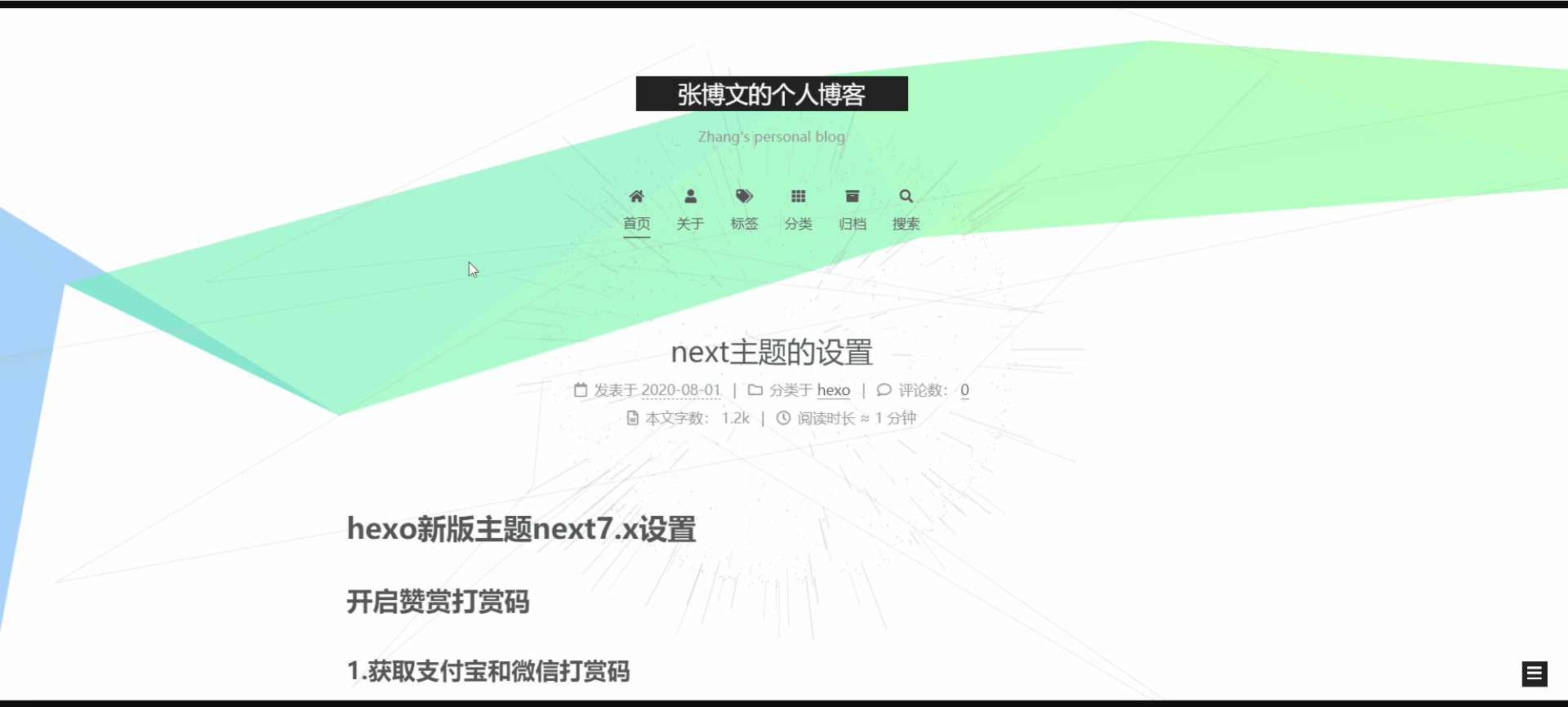
阅读全文设置
1.配置主题_config.yml
# Automatically excerpt description in homepage as preamble text.  自动摘要
excerpt_description: true
# Read more button
# If true, the read more button will be displayed in excerpt section. 显示阅读全文按钮
read_more_btn: true
2.install 自动摘录生成器
npm install hexo-excerpt --save
比较不好的一点是这个只能自动读取摘要 不是很智能 ,读取的摘要狠多 ,推荐编写文章时自己设置摘要
若想保留了样式并且自行选择显示哪些内容来预览。就可以在写 md 博文时,在想要显示预览的部分后加上
<I--more-->,这样这样首页和列表页展示的文章内容就是<!-- more -->之前的文字,而之后的就不会显示了,同时也保留文章原样式。
3.展示效果
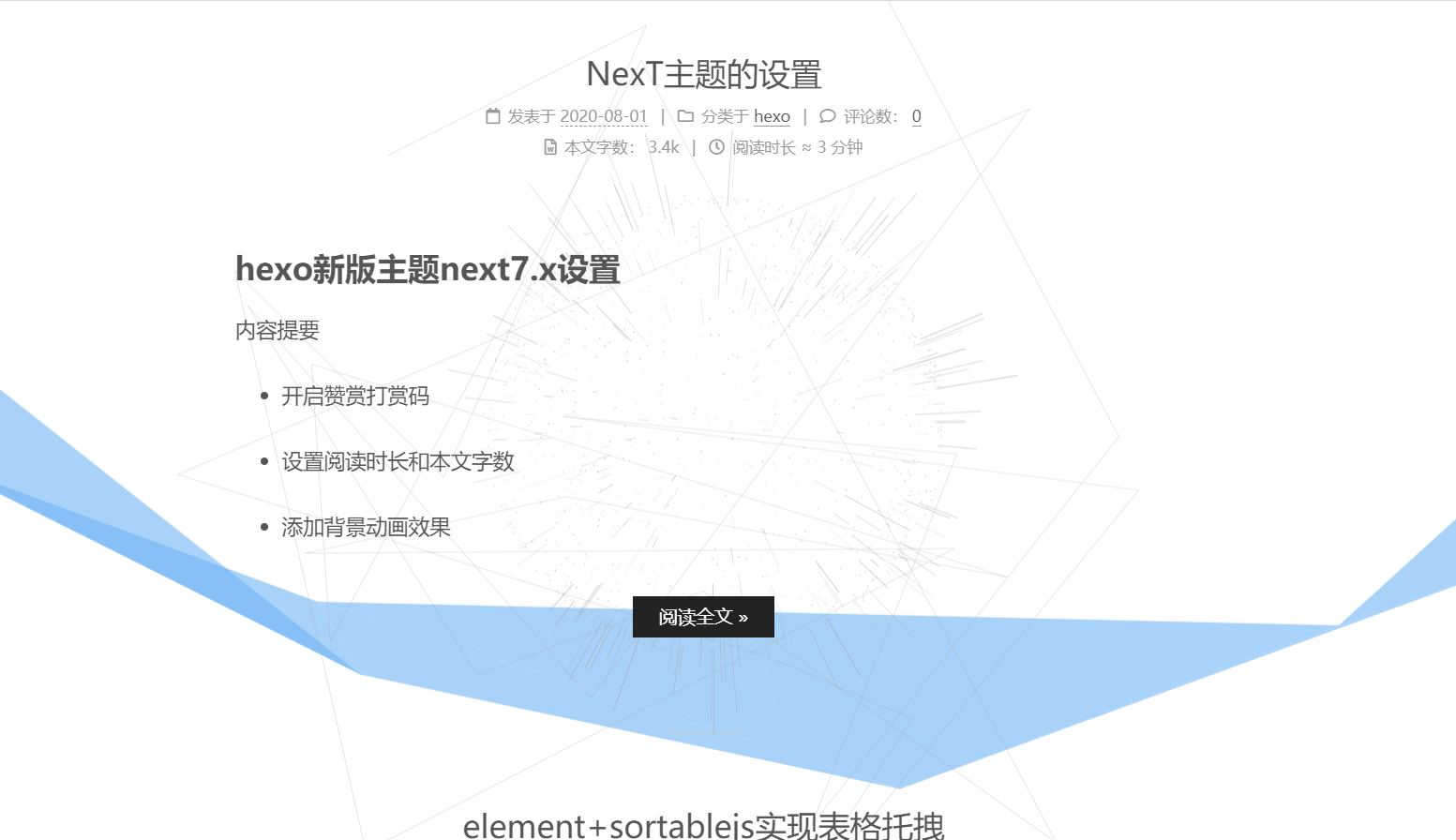
阅读全文 去掉自动定位 more
老版本中可以使用scroll_to_more: false 这个选项
最新版本已经移除此选项,官方认为 scroll_to_more 是个默认行为 for 任何 hexo 主题
新版本解决方案:强制修改\themes\next\layout_macro\post.swig 中
<a class="btn" href="{{ url_for(post.path) }}#more" rel="contents">
修改为 去除#more 锚点即可
<a class="btn" href="{{ url_for(post.path) }}" rel="contents"></a>
修改文章及主题样式
修改文件位置
//themes\next\source\css\_common\scaffolding\base.styl
//将样式手动调整
//修改行距只需要修改p标签的margin
p {
  margin: 0 0 10px 0;
}
//引用样式调整
blockquote {
  border-left: 4px solid $grey-lighter;
  color: var(--blockquote-color);
  margin: 10px 0;
  padding: 0 15px;

  cite::before {
    content: "-";
    padding: 0 5px;
  }
}
代码段调整上下行距及样式
1.配置主题_config.yml
#代码块样式
codeblock:
  # Code Highlight theme
  # Available values: normal | night | night eighties | night blue | night bright | solarized | solarized dark | galactic
  # See: https://github.com/chriskempson/tomorrow-theme  白色主题 normal
  highlight_theme: normal
  # Add copy button on codeblock 复制按钮
  copy_button:
    enable: true
    # Show text copy result.
    show_result: true
    # Available values: default | flat | mac
    style: mac
2.调整样式文件
//文件位置:themes\next\source\css\_common\scaffolding\highlight\highlight.styl
搜索 pre 将对应的 padding 值调整为自己想要的样式
pre {
  @extend $code-block;
  overflow: auto;
  padding: 2px 10px; //我这里上下调整为2px
}
3.展示效果
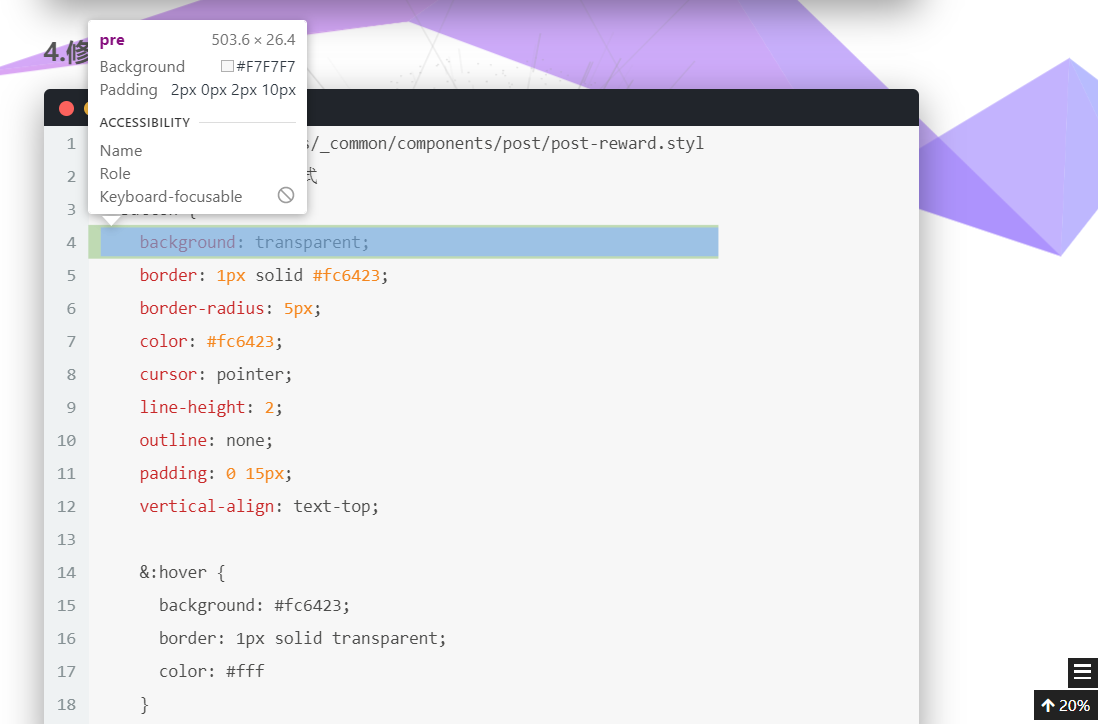
代码块背景色缺失问题
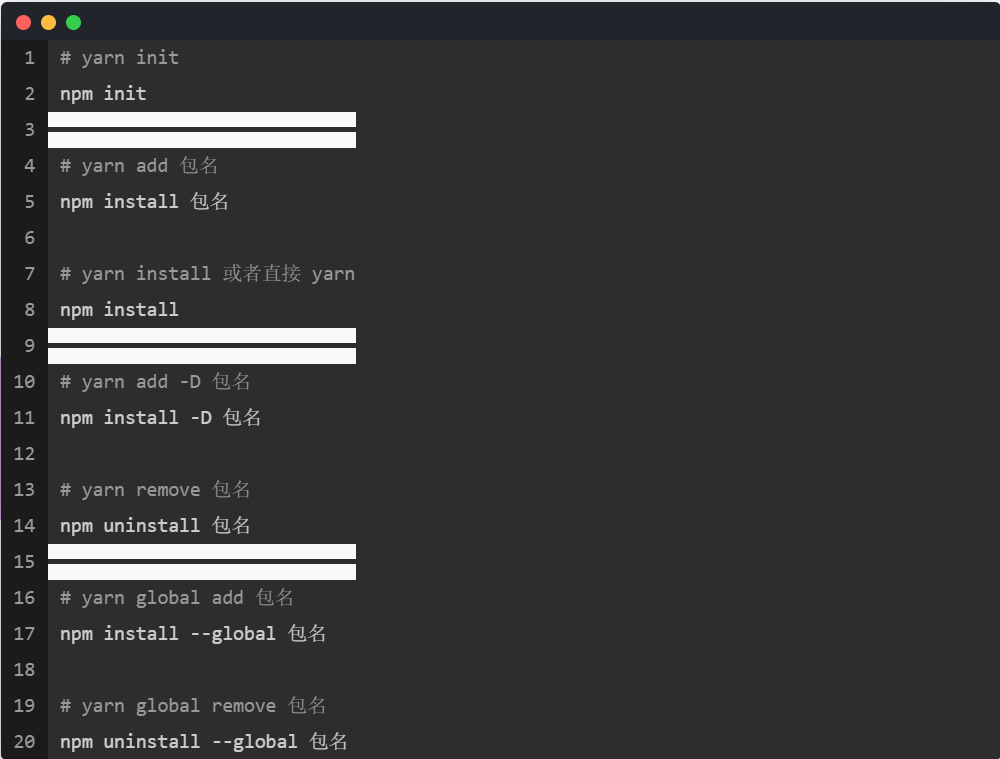
1.问题展示
有时候编辑后的 md 文档会发生背景色缺失现象 如图
2.形成原因
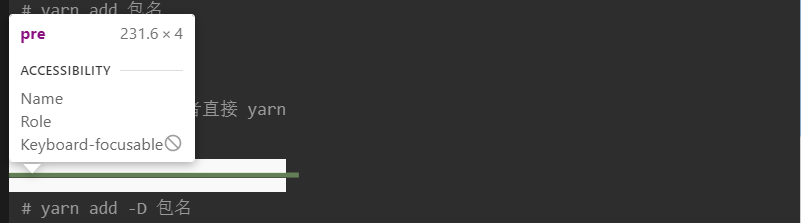
原因:编辑时回车 换行,会导致当前行渲染后元素高度无法达到正常高度,如图:
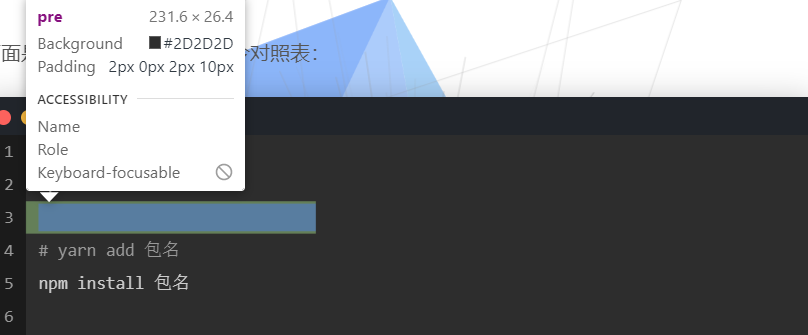
正常的 pre 也就是当前行如图:
而每行 tr 都有自己的背景色 (一般是白色),一但 pre 没有高度 ,就会造成背景色的混乱
//mian.css 下有段用于区分斑马纹表格和 hover样式的代码影响到了代码段的tr
tbody tr:nth-of-type(odd) {
  background: var(--table-row-odd-bg-color);
}
tbody tr:hover {
  background: var(--table-row-hover-bg-color);
}
3.解决方案
1.在编辑 md 文档代码块时 回车换行都加个空格防止 pre 没有正常高度的情况
但是很麻烦 , 所以还是用 css 调调样式吧
因为 pre 没有高度 tr 把背景色覆盖成了其他颜色, 但是 td 还是正常大小啊 ,把 td 的背景色调调成 pre 的就可以了
2.修改 css 样式
//文件位置:themes\next\source\css\_common\scaffolding\highlight\highlight.styl
//找到td修改样式
td {
  border: 0;
  padding: 0;
  background: $highlight-background; //防止背景色缺失
}
td {
  border: 0;
  background: $highlight-background; //防止背景色缺失
}
字母溢出不自动换行问题
中文汉字不会溢出,英文字母会溢出 这个时候添加属性 word-break: break-all; 修改 css 样式
// themes\next\source\css\_common\components\post\post-header.styl
.posts-expand .post-title-link {
  // ...
  word-break: break-all; // 添加样式防止字母不换行
}
// themes\next\source\css\_common\components\post\post-header.styl
.post-body {
  // ...
  word-break: break-all; // 添加样式防止字母不换行
}
Hexo + Next 主题博客提交百度谷歌收录
原文地址:https://www.luanzhuxian.com/post/82d92ad4.html
建议使用自动推送
也可以调用百度 api